Write your resume once, switch between five templates, then score it against the job you want. See the exact keywords, sections and bullets holding it back.
Built around one idea: the resume you edit, the resume you score and the resume you send should be the same document.
Every point is traceable. The report shows six categories with points earned out of points available, and each finding says exactly what was measured.
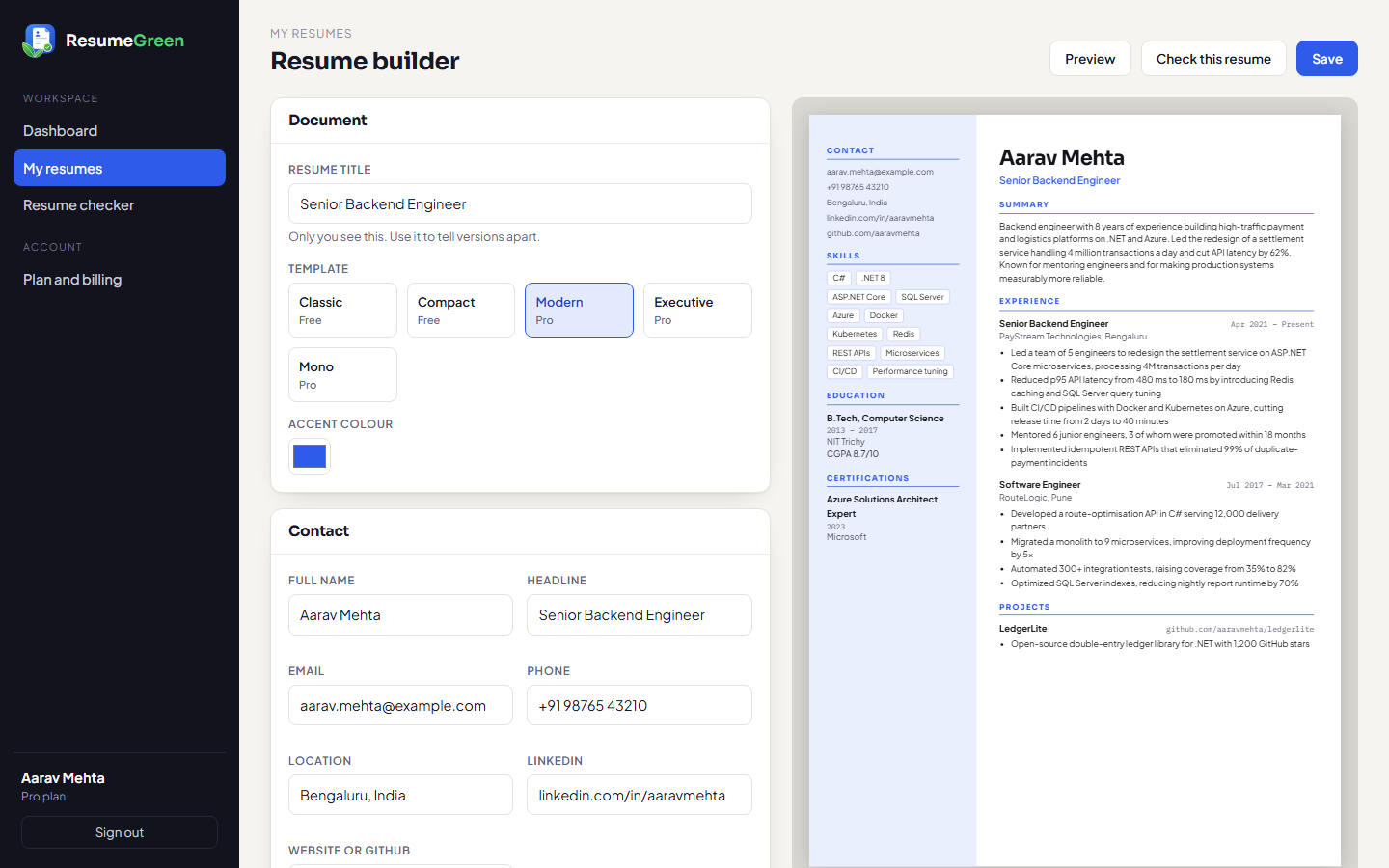
The builder preview, the on-screen preview and the print page use one renderer, so the PDF matches the screen line for line.
Rewrites keep your facts. Where a metric would help and you gave none, the AI leaves a placeholder like [X%] for you to fill in.
Paste a job description and see which of its 20 most frequent terms your resume contains and which it lacks.
Upload a PDF or DOCX and get the same report. No retyping before you find out whether it needs work.
Switch template or accent colour at any time. Nothing is retyped and nothing is lost.
Every template outputs selectable text with conventional section headings, the two things parsers depend on.
These are screenshots of the live application, not mock-ups.
Start from one of five A4 layouts. Classic and Compact are free; Modern, Executive and Mono come with Pro.
My resumes → New resume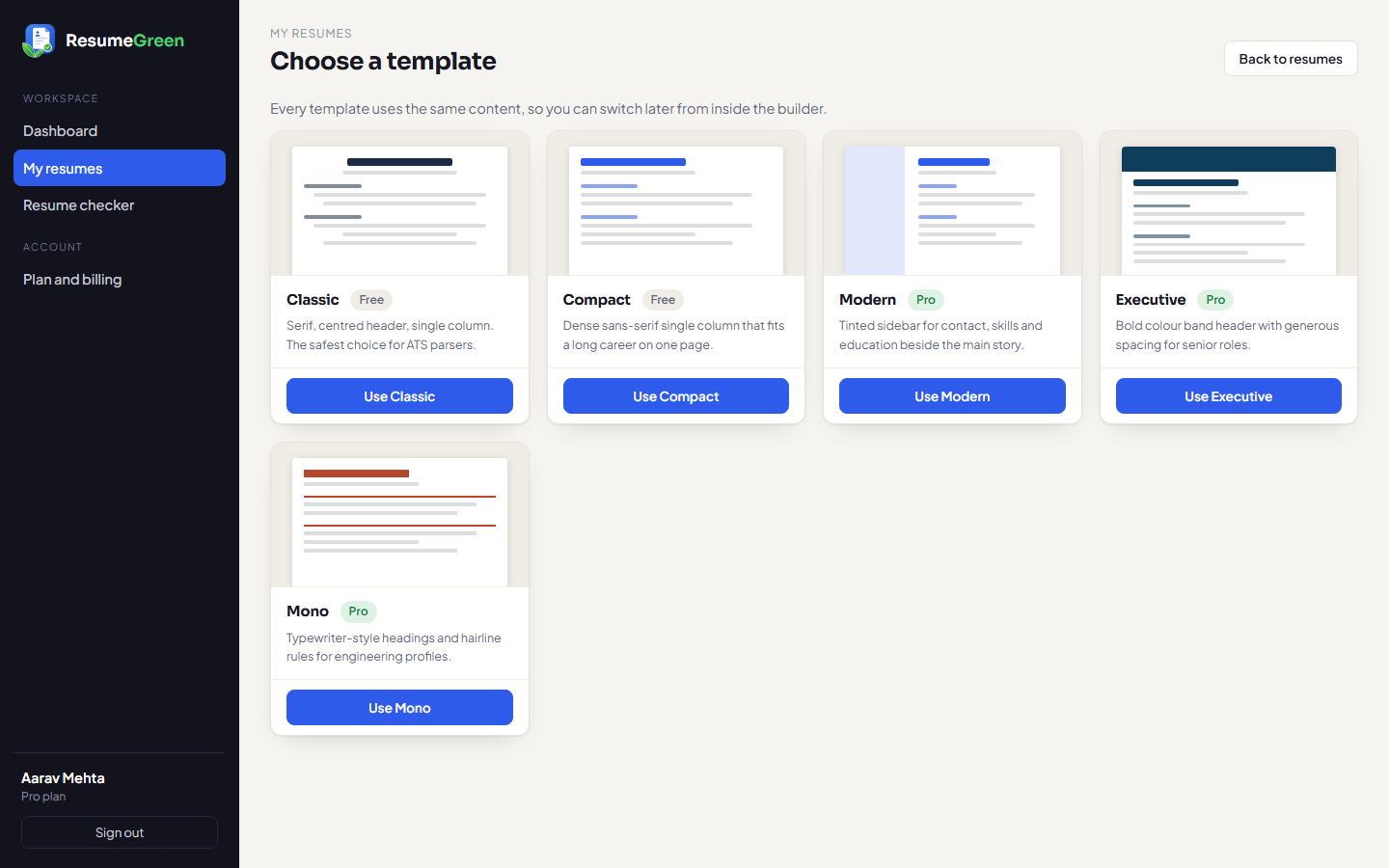
Type on the left; the A4 page updates on the right with every keystroke.
Choose a resume you built, or upload a PDF or DOCX. Paste the job description to score keyword match.
Resume checker → New check
A score out of 100, a breakdown by category, a list of findings, and the job keywords you are missing. Pro adds written AI feedback with rewritten bullets.
Resume checker → open a report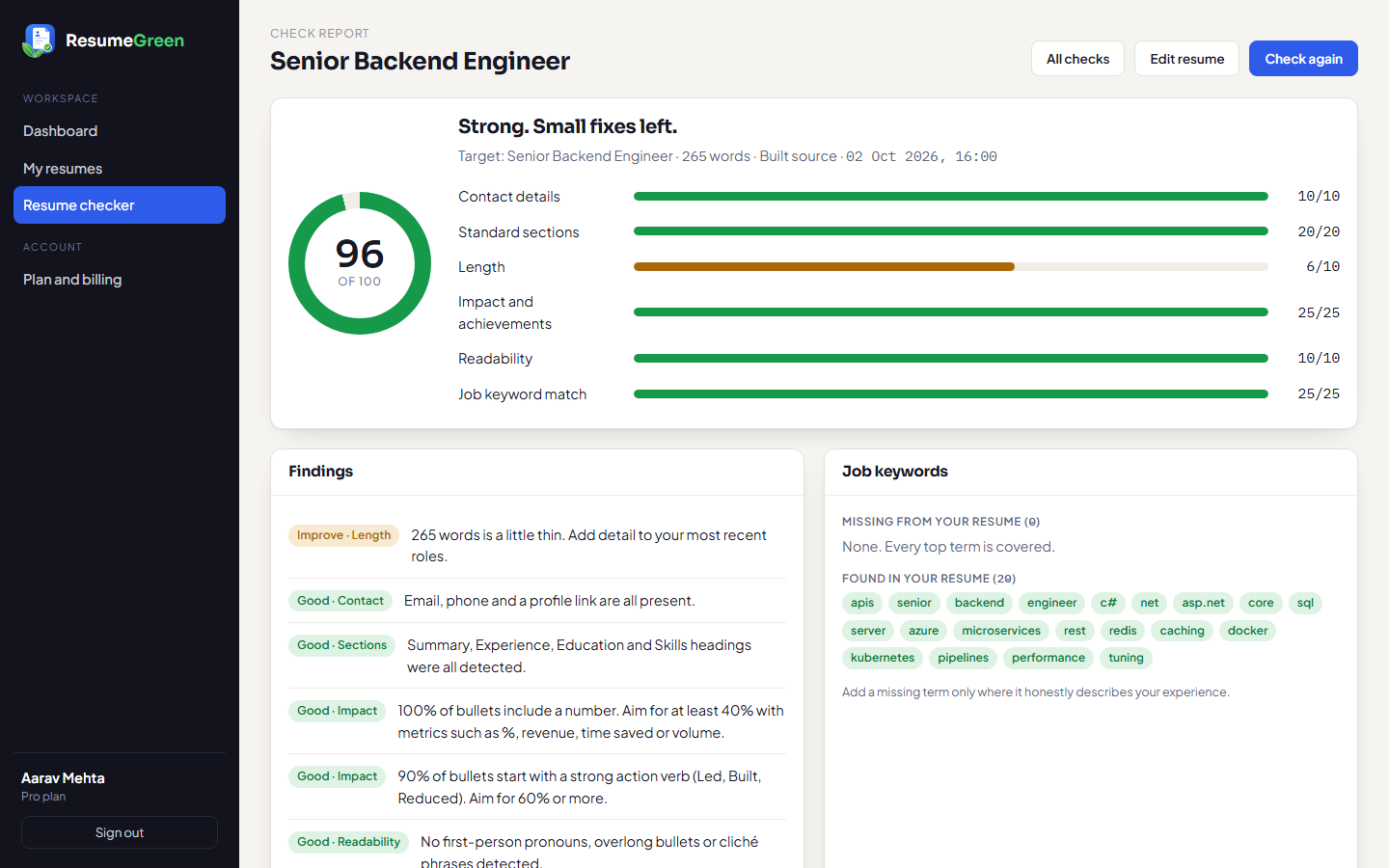
The dashboard keeps your resumes, your recent checks and your average and best scores in one place, so you can see each version improve.
Dashboard
Each prints cleanly to A4 and keeps real, selectable text.
Serif, centred header, single column. The safest choice for ATS parsers.
Dense sans-serif single column that fits a long career on one page.
Tinted sidebar for contact, skills and education beside the main story.
Bold colour band header with generous spacing for senior roles.
Typewriter-style headings and hairline rules for engineering profiles.
Prices in INR. Pay securely through Razorpay by card, UPI or net banking.
From fixed rules across contact details, standard sections, length, impact, readability and, when you supply a job description, keyword match. The report shows the points for each category and the finding behind them.
Yes. Upload a PDF or DOCX up to 3 MB. Scanned image PDFs cannot be read, so export a text PDF.
On Pro it writes feedback on each check and can rewrite your summary and bullets. It is instructed to keep your facts and to leave a bracketed placeholder where a number is missing, rather than inventing one. Always read a rewrite before using it.
Open a resume, choose Preview, then “Print or save as PDF” and pick “Save as PDF” in your browser's print dialog.
No. Each payment adds 1 or 12 months. When the period ends your account returns to Free and your resumes stay in place.
Free account, no card. Your first check takes under a minute.